
Skip to main content
How Can We Help?
Search for answers or browse our knowledge base.
ProPet has a variety of exportable reports that can be found under the Reports section. ProPet also has the ability to export larger amounts of information under Tools > Export Data. The exportable data on this page includes customer and pet lists, as well as other booking data (including yearly booking records) that can be exported to an Excel spreadsheet.
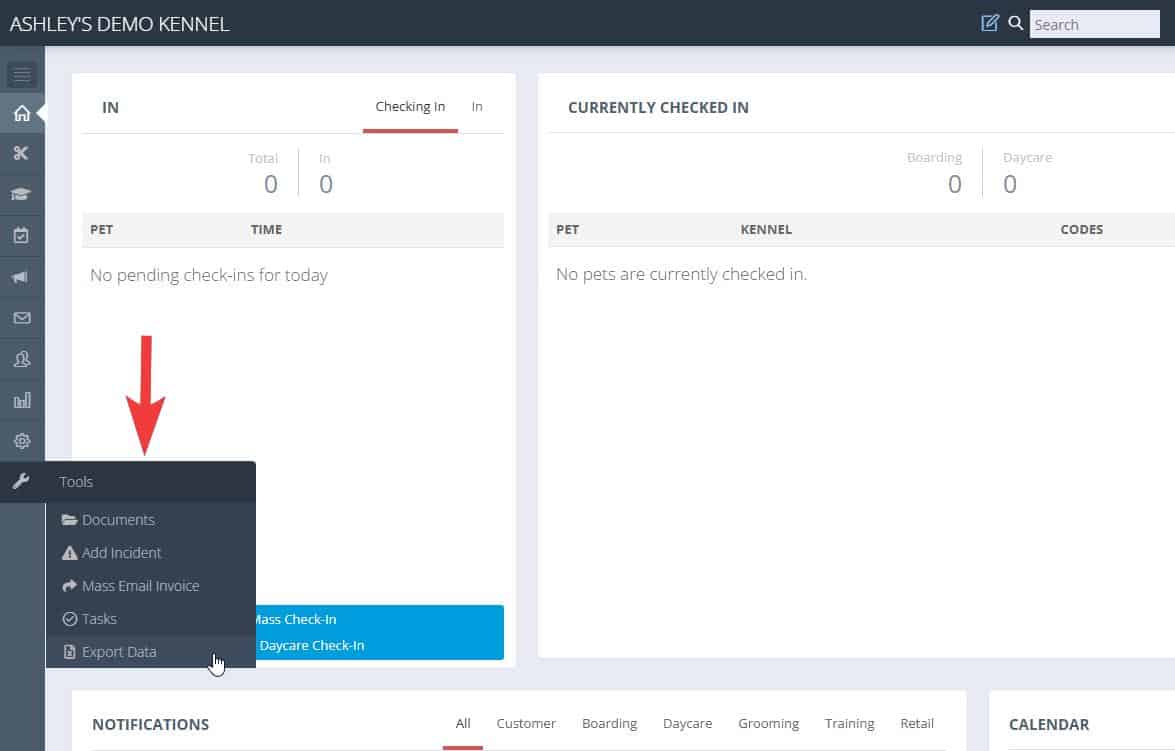
These exportable files can be found by hovering your cursor over Tools on the left-side navigation menu and selecting Export Data.
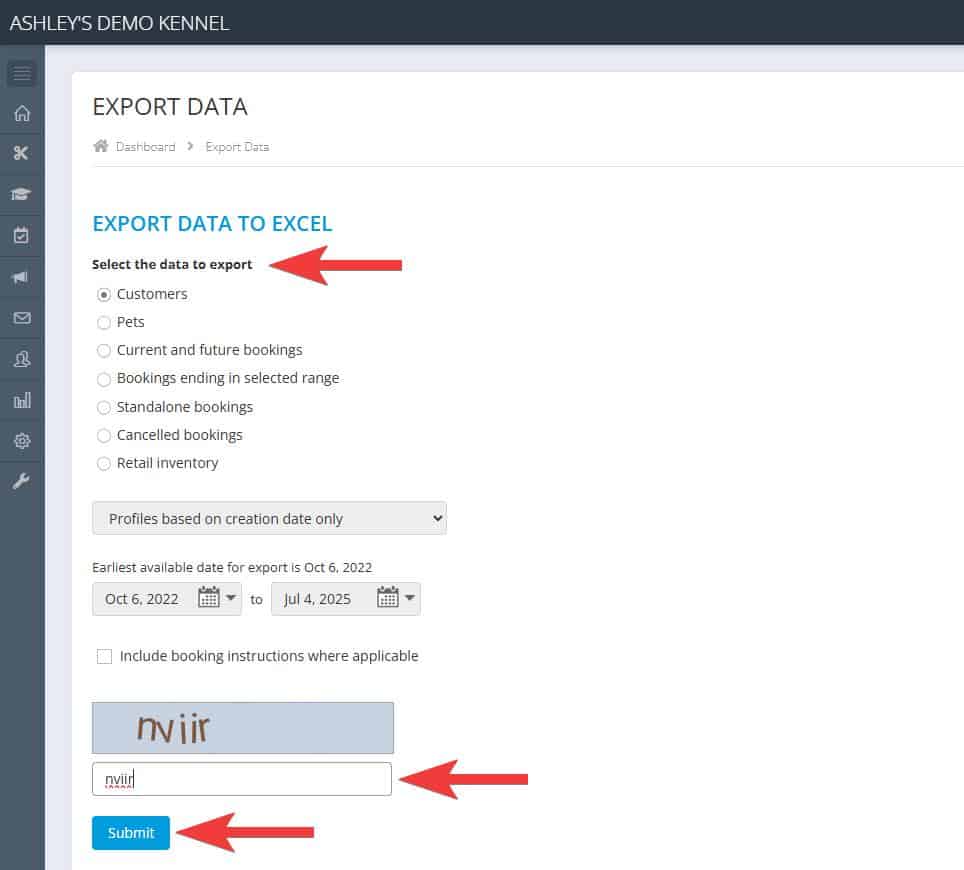
On the Export Data page, you will see a list of data export options to choose from, then you can simply enter the necessary letters and click Submit.

Recent Comments