
Search for answers or browse our knowledge base.
How to Turn on Online Payment Tip Prompt
**Note: This feature is only applicable to customers who are integrated with our payment processors that allow online payments. For more information on this, please email support.
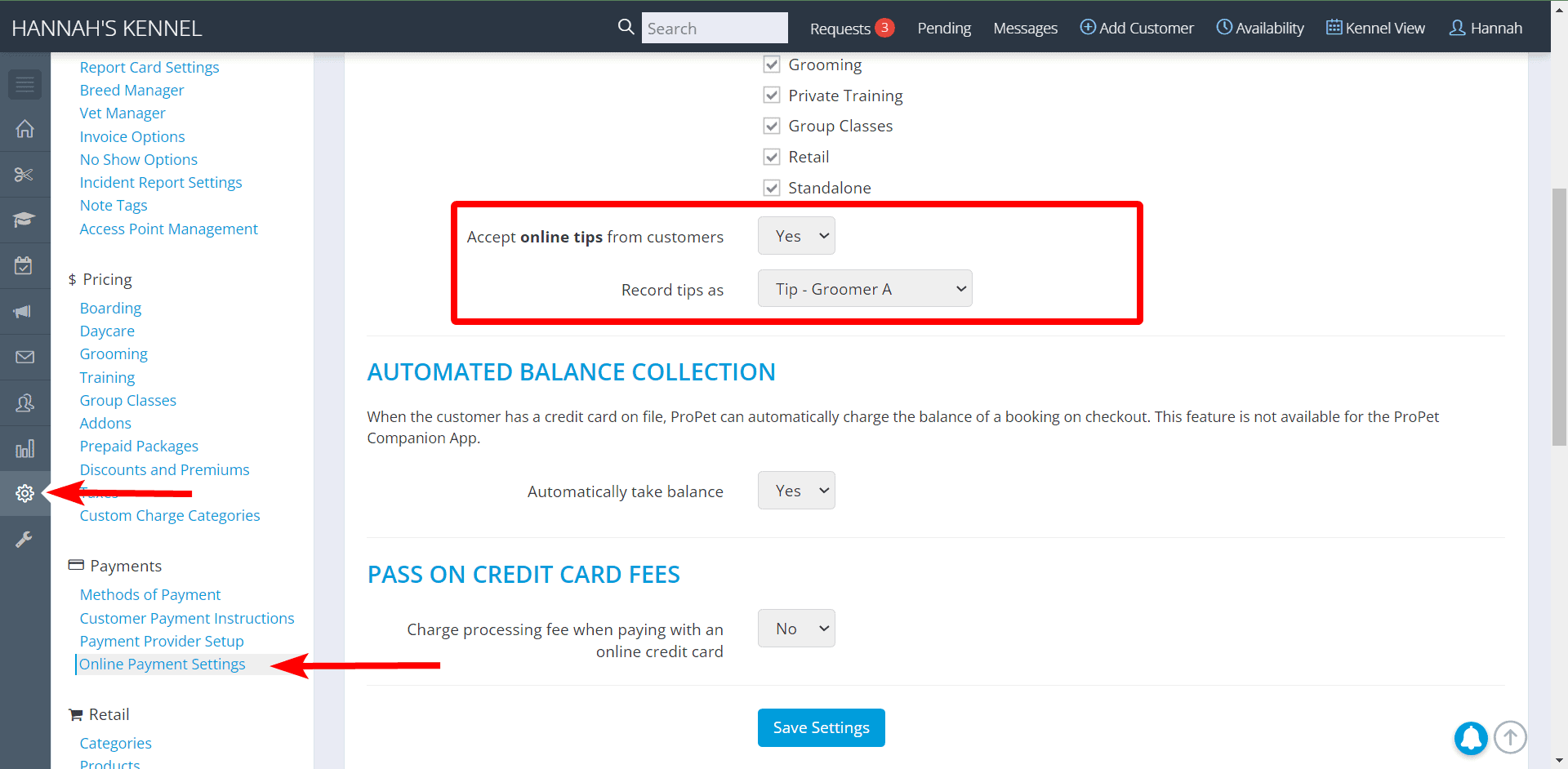
“Settings” > “Payments” > “Online Payment Settings” > ”Accept online tips from customers” > “Yes”
Then select how you would like this tip recorded with the “Record online payment tips as” Drop-Down.
If you need to add an option to this list, go to “Settings” > “Pricing” > “Custom Charge Categories”.\
How a Customer Can Tip
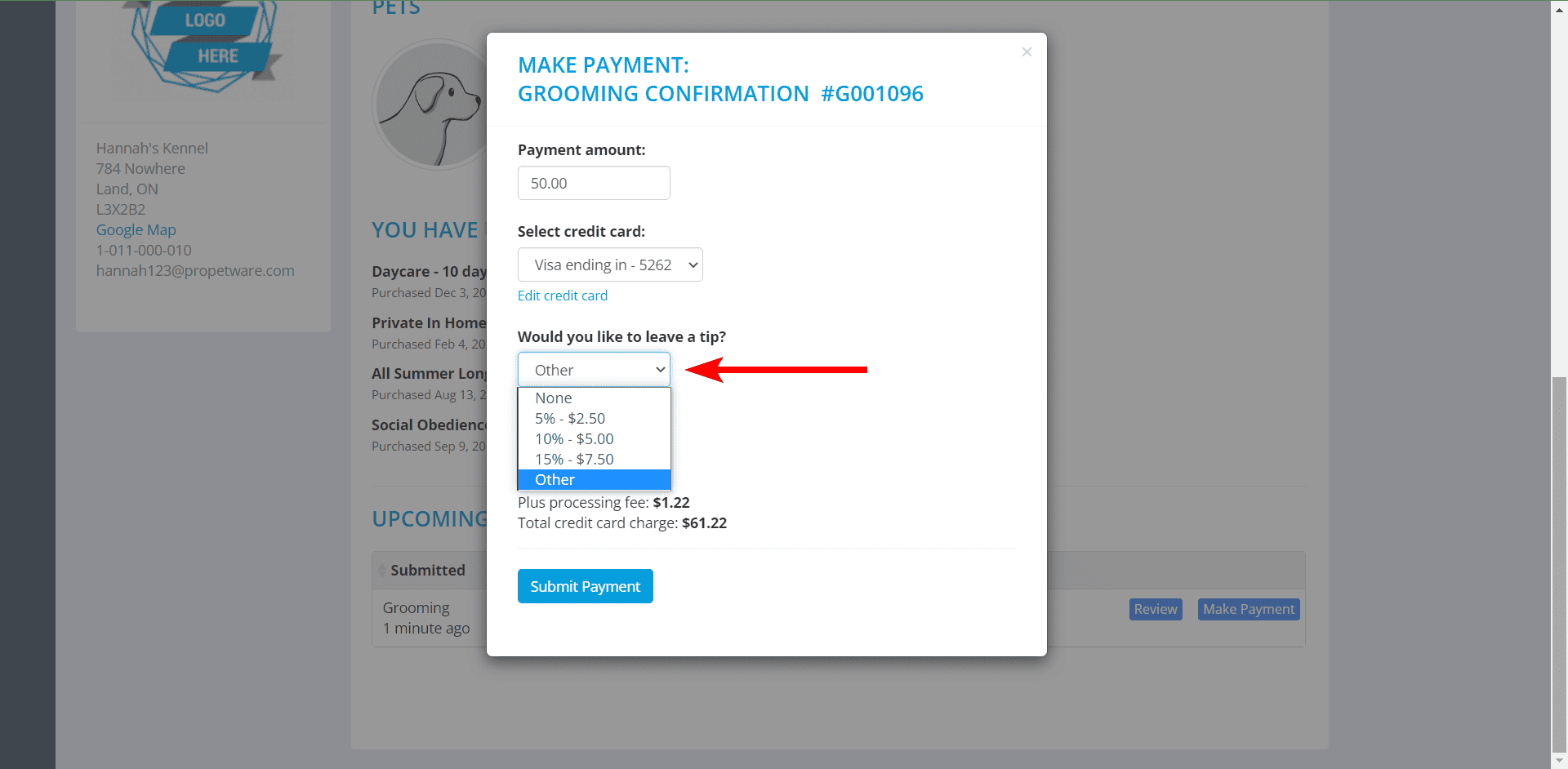
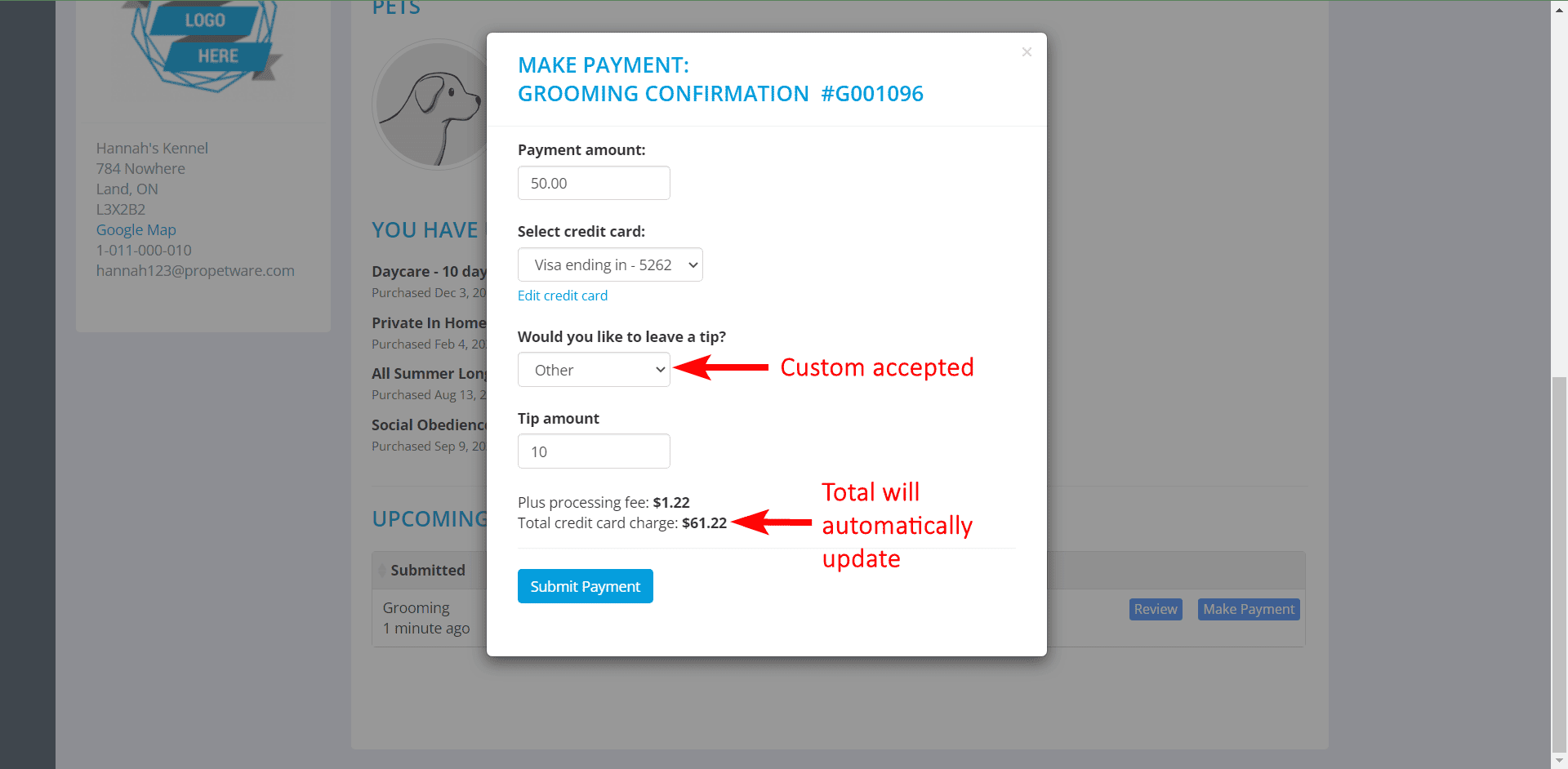
When they make a payment from the customer portal, the payment pop-up will now have an option for the client to leave a tip. They can choose a percentage or type in a custom amount.
How Tips are Recorded
Tip payments will be recorded on the invoice and in the Custom Adjustments Report.
Invoice:

Custom Adjustments Report.


Recent Comments