
Skip to main content
How Can We Help?
Search for answers or browse our knowledge base.
Holiday Hours
Whether you are closed for the day or have shortened hours over the holidays, you can set these up within your hours of operation. This will impact how your customers and, optionally, your staff can book reservations.
To add Holiday Hours:
-
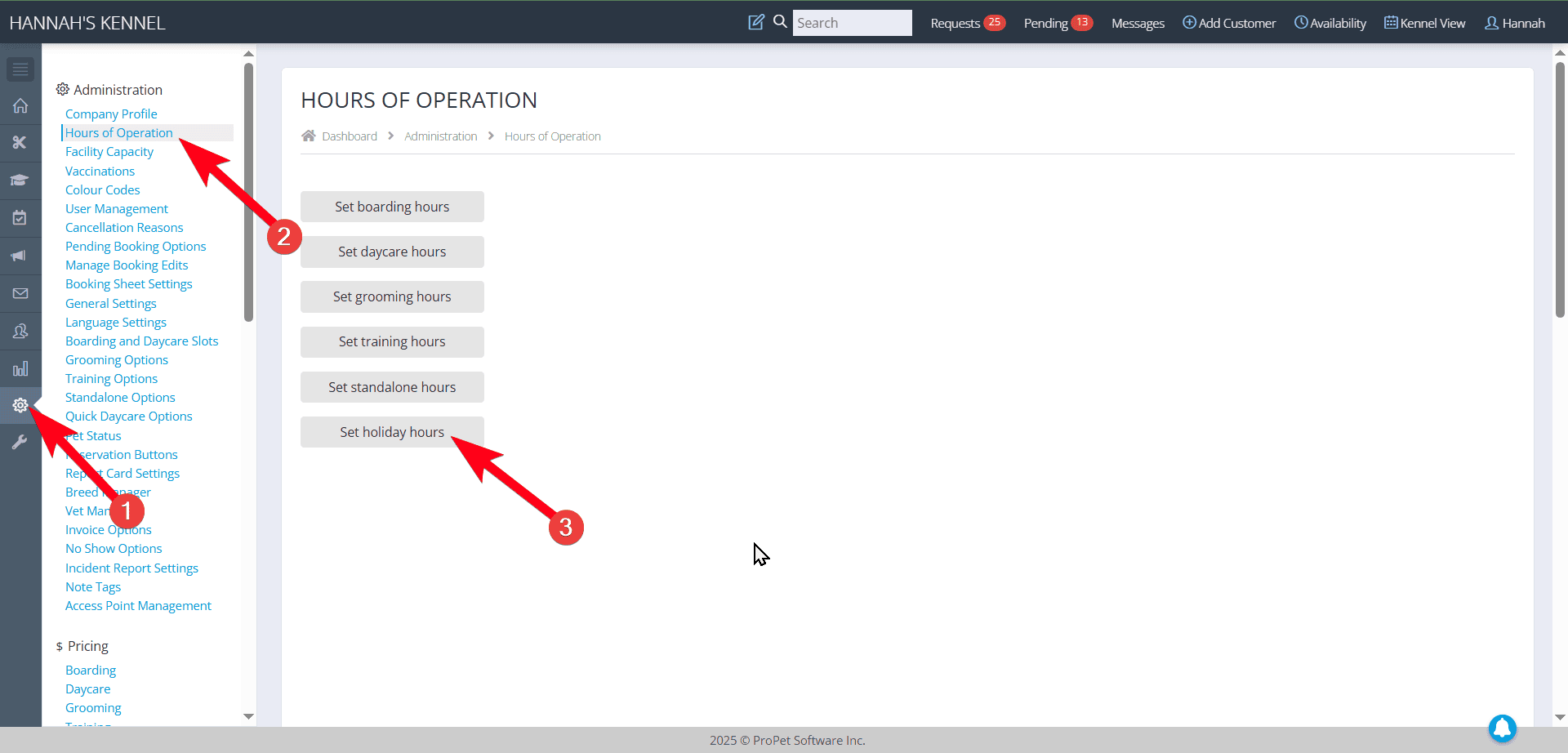
- Navigate to your Settings
- Hours of Operation
- Set Holiday Hours
- Add New Holiday
- Add a title, for example, “New Years”
- Add the date or date range for the hours to apply to
- Add the hours to either limit or close for either Pick Up, Drop Off or both
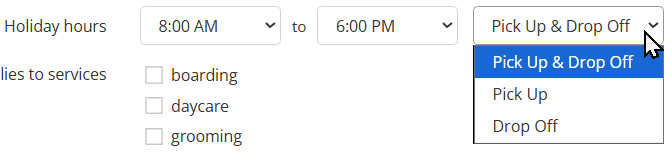
- Select which services the hours should apply to
- Choose whether you want your Admin to have the same holiday hours or if this should only apply to customers when they send requests.

- For those facilities using ongoing schedules, choose whether to apply the hours to ongoing schedules or not

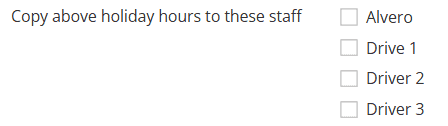
- For those facilities that assign services to staff, you can choose if the holiday hour you’re creating should apply to their “Special Work Hours” or not.
- Save Hours

Recent Comments